
Every year, thousands of students and job seekers Reduce Photo Size for Online Forms run into the exact same headache. You spend time carefully filling out an important form—maybe it’s for UPSC, SSC, a state PSC exam, a college admission portal, or even a private job application. You’re almost at the finish line, and then bam—the system rejects your photo. A red warning flashes: “File size too large” or “Photo must be between 20KB and 50KB.” If that sounds familiar, you’ve come to the right place. You need to reduce photo size for online forms quickly, without messing up the quality of your image.
The good news? Once you understand what these portals are actually looking for, fixing this issue is surprisingly simple.
Why Do These Portals Have Such Strict Size Limits?
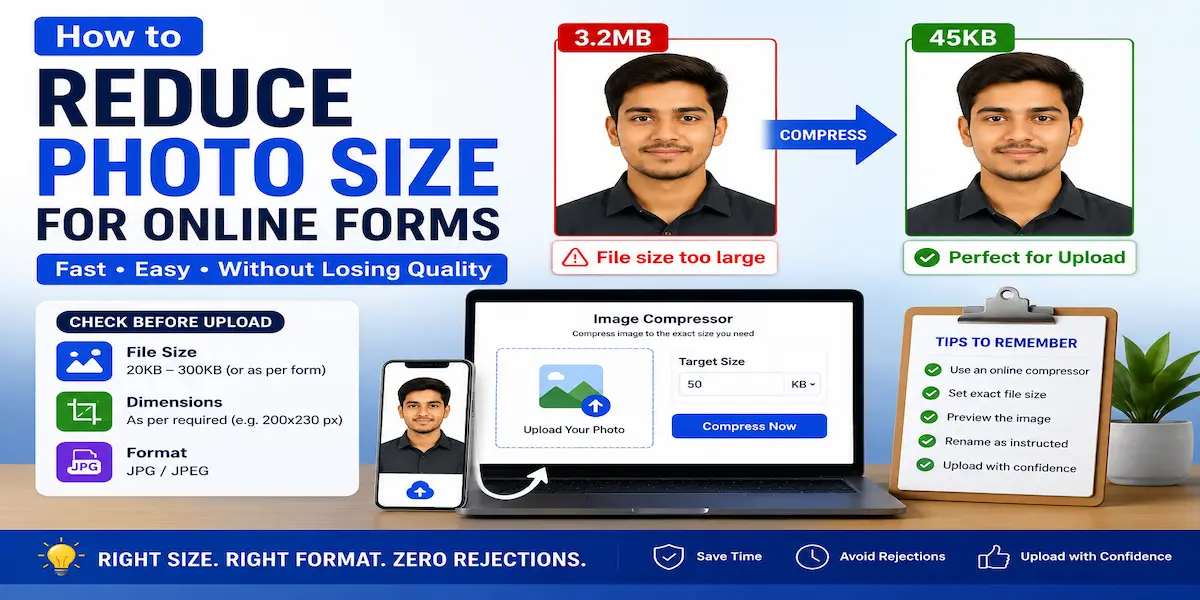
A lot of people think these limits are random, but there’s a solid reason behind them. Government platforms like UPSC, SSC, and various state PSCs handle thousands of applications at the same time. Large image files put unnecessary pressure on their servers and take up too much storage. That’s why they enforce tight limits—often between 20KB and 200KB—and reject anything outside that range. Some portals also have strict dimension rules (like 200×230 pixels) on top of file size. So even if your photo looks clear on your phone, it might still get rejected if it doesn’t meet both criteria.
This is exactly why so many people look for ways to reduce photo size for online forms. The default photo from your phone camera or scanner is usually way too big—often 3MB or more.
Step-by-Step: How to Reduce Photo Size for Online Forms (The Easy Way)
Here’s a simple, reliable method that doesn’t require you to install any software.
Step 1: Read the Form’s Instructions Carefully
Before you compress anything, take a moment to go through the photo upload guidelines mentioned on the form. Make a note of:
– The minimum and maximum file size (usually given in KB)
– The required dimensions (width x height in pixels)
– The accepted format (usually JPG or JPEG)
For instance, UPSC usually asks for a photo between 20KB and 300KB in JPG format. SSC and most state PSC forms have similar requirements. Job portals and college admission systems may vary, so always double-check the exact numbers before you proceed.
Step 2: Use an Online Compressor
Once you know your target size, head over to a free online image compressor—like Mintify’s Image Compressor tool—and upload your photo directly from your phone or computer. No installation, no hassle. This is the quickest way to reduce photo size for online forms because the tool does all the heavy lifting for you. You don’t have to guess or fiddle with random quality sliders.
Step 3: Set the Exact File Size You Need
A good compression tool lets you enter a specific target size—for example, “under 50KB”—instead of making you drag a vague slider. This is really important for form uploads, since portals like UPSC will reject your submission even if your photo is just 1KB over the limit. To stay safe, aim slightly below the maximum allowed. If the limit is 50KB, try to get your photo down to around 45KB to give yourself a little buffer.
Step 4: Preview Before You Upload
After compression, always open the downloaded photo and zoom in to check if your face still looks clear. A properly compressed photo at 30–50KB should still appear sharp on screen. If it looks blurry or pixelated, the tool you’re using probably isn’t great. Try a different one that keeps facial details intact even at smaller file sizes.
Step 5: Rename and Upload
Some portals also check the file name format—like “Photo_YourName.jpg.” Rename your file exactly as instructed before the final upload. This small step can save you from another rejection.
Typical Photo Size Requirements for Popular Forms
Here’s a quick reference:
| Portal Type | Typical Size Limit | Format |
| UPSC | 20KB – 300KB | JPG |
| SSC / State PSC | 20KB – 50KB | JPG |
| College Admission Portals | 10KB – 200KB | JPG/PNG |
| Private Job Portals | Varies (often under 1MB) | JPG/PNG |
Keep in mind that these numbers can change, so always verify the latest notification before you compress.
Why Phone Editors Don’t Work Well for This
A lot of people try to reduce photo size for online forms using their phone’s built-in screenshot tool or by sending the image via WhatsApp and re-saving it. But this usually ruins the quality or doesn’t hit the exact KB target the form demands. WhatsApp, in particular, over-compresses images and can distort your face, which might cause issues during document verification later. A proper compression tool that lets you control the output size is a much safer bet for anything official.
Wrapping It Up
Knowing how to reduce photo size for online forms the right way can save you from missing deadlines and dealing with repeated rejections—which is especially stressful when exam dates are fixed. The process is straightforward once you focus on the three things every portal checks: file size, dimensions, and format. Check the requirement, use a tool that gives you control over the output size, preview your image, and upload it with confidence.
If you’ve got an important form coming up—whether it’s for UPSC, SSC, a college, or a job—keep a reliable compressor handy so you’re never stuck at the last step again.
FAQs
Q1: What’s the best way to reduce photo size for online forms without losing quality?
Use an online compressor that lets you set a target file size (like 50KB) instead of using a random quality slider. This helps maintain clarity while meeting the exact limit.
Q2: Why did my photo get rejected even after compression?
Most likely, the dimensions (width and height) didn’t match the portal’s requirements, even though the file size was correct. Always check both.
Q3: Is it safe to use online tools for compressing ID or exam photos?
Yes—as long as the tool processes images in your browser or deletes uploaded files shortly after processing. Just take a quick look at the privacy policy before uploading anything sensitive.